


Nel tutorial che andremo a visionare impareremo a utilizzare le curve Bezier, uno strumento in CorelDRAW, quindi vedremo come fare un uccello in stile Cartoon. E’ possibile utilizzare qualsiasi versione di Corel poiché non viene utilizzato nessun comando speciale durante questa lezione.
Related Posts
25
Sep2013
Make a Decorative Fruit Can in Illustrator CS5
Quello che vedremo è un tutorial che mostra come creare un barattolo di confettura di frutta con Illustrator CS5. Una lezione interessante e divertente che si ottiene con varie forme…
18
Nov2013
Illustrate an Astronaut in Photoshop – Tutorial
Nel tutorial che andremo a vedere viene mostrato come creare un fantascientifico concept art, illustrando un astronauta che sta eseguendo la manutenzione durante una passeggiata spaziale. Il tutto fatto da…
13
Sep2016
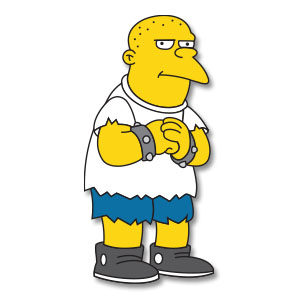
Kearney Zzyzwicz Bully – Free Vector download
Kearney Zzyzwicz, Sr. (pronounced “jeez-wich”) is one of the school bullies of Springfield Elementary, with Nelson Muntz, Dolph Starbeam, Jimbo Jones, and the Weasels. He later became one of Bart…
20
Sep2024

Easily Create Bottles and Liquids in Blender
This video tutorial shows how to quickly and easily model bottles with liquid coming out, a nice image to use as an illustration of a product. An exercise also suitable…
09
Apr2013
Create Text Explosion Effect in Autodesk 3ds Max
An Animation Video Tutorial in Autodesk 3ds Max that includes the explosion of a 3d text with a nice disruptive effect. An exercise with all the right tools to amaze…
16
May2013
Use Puppet Wrap in Photoshop CS5
Un tutorial che parla di uno strumento nuovissimo di Photoshop presente nella versione CS5. Si tratta dello strumento Alterazione Marionetta (Puppet Wrap) che permette di manipolare figure inserendo degli snodi…
